Dec 31, 2011

Displaying Role Hierarchy on Visualforce Page - Tree View

Ever thought of building a tree like data structure for the users based on role hierarchy and displaying it in the form of a JavaScript tree with node selection capability on the Visualforce page?

So recently I came across a functionality where a third party javascript calendar was used on the VisualForce page and all events were fetched programmatically through Apex and plotted on the calendar. The UI looked good along with other custom developed functionality. All was fine until client asked if it was possible to select some of the logged in user's subordinates through custom VF page and plot events on the calendar for the selected users only. In other words, fetch and display only those events which were owned by users who worked below the logged in user in the role hierarchy.

It got me thinking and I did some research to check if there was an easier way to get this done, but soon realized that this required custom  and tricky Apex/VF code. There's a nice little script written by Jeff Douglas that was closest to what I actually wanted.

So I came up with this handy utility which fulfils my requirements. Getting user IDs of subordinates could also be useful in situations where, for example, you want to do a comparative analysis of performance for all users reporting to a manager.


There are mainly two parts to the solution I designed:

1. RoleUtil (Apex Class): Utility class which exposes the following API

a. public static RoleNodeWrapper getRootNodeOfUserTree (Id userOrRoleId) - function creates the tree data structure for the requested user or role ID and returns the root node to the caller
b. public static List<User> getAllSubordinates (Id userId) - function returns the list of all subordinate users for the requested user ID
c. public static String getTreeJSON (Id userOrRoleId) - function returns the JSON string for the requested user or role ID
d. public static String getSObjectTypeById(Id objectId) - general utility function to return the string representation of the object type for the requested object ID
e. public static Boolean isRole (Id objId) - internally uses the getSObjectTypeById (#d above) to check whether the requested object ID is of UserRole type
f. public class RoleNodeWrapper (inner class) - wrapper for user role, represents a node in the tree data structure mentioned above and exposes boolean properties like hasChildren, hasUsers, isLeafNode, etc

public class RoleUtil {

    /********************* Properties used by getRootNodeOfUserTree function - starts **********************/
    // map to hold roles with Id as the key
    private static Map <Id, UserRole> roleUsersMap;

    // map to hold child roles with parentRoleId as the key
    private static Map <Id, List<UserRole>> parentChildRoleMap;

    // List holds all subordinates
    private static List<User> allSubordinates {get; set;}
        
    // Global JSON generator
    private static JSONGenerator gen {get; set;}

    /********************* Properties used by getRootNodeOfUserTree function - ends **********************/
    
    
    /********************* Properties used by getSObjectTypeById function - starts ********************* */
    // map to hold global describe data
    private static Map<String,Schema.SObjectType> gd;
    
    // map to store objects and their prefixes
    private static Map<String, String> keyPrefixMap;

    // to hold set of all sObject prefixes
    private static Set<String> keyPrefixSet;
    /********************* Properties used by getSObjectTypeById function - ends **********************/
    
    /* // initialize helper data */ 
    static {
        // initialize helper data for getSObjectTypeById function
        init1();
        
        // initialize helper data for getRootNodeOfUserTree function
        init2();
    }
    
    /* // init1 starts <to initialise helper data> */
    private static void init1() {
        // get all objects from the org
        gd = Schema.getGlobalDescribe();
        
        // to store objects and their prefixes
        keyPrefixMap = new Map<String, String>{};
        
        //get the object prefix in IDs
        keyPrefixSet = gd.keySet();
        
        // fill up the prefixes map
        for(String sObj : keyPrefixSet) {
            Schema.DescribeSObjectResult r =  gd.get(sObj).getDescribe();
            String tempName = r.getName();
            String tempPrefix = r.getKeyPrefix();
            keyPrefixMap.put(tempPrefix, tempName);
        }
    }
    /* // init1 ends */

    /* // init2 starts <to initialise helper data> */
    private static void init2() {
        
        // Create a blank list
        allSubordinates = new List<User>();
        
        // Get role to users mapping in a map with key as role id
        roleUsersMap = new Map<Id, UserRole>([select Id, Name, parentRoleId, (select id, name from users) from UserRole order by parentRoleId]);
        
        // populate parent role - child roles map
        parentChildRoleMap = new Map <Id, List<UserRole>>();        
        for (UserRole r : roleUsersMap.values()) {
            List<UserRole> tempList;
            if (!parentChildRoleMap.containsKey(r.parentRoleId)){
                tempList = new List<UserRole>();
                tempList.Add(r);
                parentChildRoleMap.put(r.parentRoleId, tempList);
            }
            else {
                tempList = (List<UserRole>)parentChildRoleMap.get(r.parentRoleId);
                tempList.add(r);
                parentChildRoleMap.put(r.parentRoleId, tempList);
            }
        }
    } 
    /* // init2 ends */

    /* // public method to get the starting node of the RoleTree along with user list */
    public static RoleNodeWrapper getRootNodeOfUserTree (Id userOrRoleId) {
        return createNode(userOrRoleId);
    }
    
    /* // createNode starts */
    private static RoleNodeWrapper createNode(Id objId) {
        RoleNodeWrapper n = new RoleNodeWrapper();
        Id roleId;
        if (isRole(objId)) {
            roleId = objId;
            if (!roleUsersMap.get(roleId).Users.isEmpty()) {
                n.myUsers = roleUsersMap.get(roleId).Users;
                allSubordinates.addAll(n.myUsers);
                n.hasUsers = true;
            }
        }
        else {
            List<User> tempUsrList = new List<User>();
            User tempUser = [Select Id, Name, UserRoleId from User where Id =: objId];
            tempUsrList.add(tempUser);
            n.myUsers = tempUsrList;
            roleId = tempUser.UserRoleId;
        }
        n.myRoleId = roleId;
        n.myRoleName = roleUsersMap.get(roleId).Name;
        n.myParentRoleId = roleUsersMap.get(roleId).ParentRoleId;

        if (parentChildRoleMap.containsKey(roleId)){
            n.hasChildren = true;
            n.isLeafNode = false;
            List<RoleNodeWrapper> lst = new List<RoleNodeWrapper>();
            for (UserRole r : parentChildRoleMap.get(roleId)) {
                lst.add(createNode(r.Id));
            }           
            n.myChildNodes = lst;
        }
        else {
            n.isLeafNode = true;
            n.hasChildren = false;
        }
        return n;
    }
    
    public static List<User> getAllSubordinates(Id userId){
        createNode(userId);
        return allSubordinates;
    }
    
    public static String getTreeJSON(Id userOrRoleId) {
        gen = JSON.createGenerator(true);
        RoleNodeWrapper node = createNode(userOrRoleId);
        gen.writeStartArray();
            convertNodeToJSON(node);
        gen.writeEndArray();
        return gen.getAsString();
    }
    
    private static void convertNodeToJSON(RoleNodeWrapper objRNW){
        gen.writeStartObject();
            gen.writeStringField('title', objRNW.myRoleName);
            gen.writeStringField('key', objRNW.myRoleId);
            gen.writeBooleanField('unselectable', false);
            gen.writeBooleanField('expand', true);
            gen.writeBooleanField('isFolder', true);
            if (objRNW.hasUsers || objRNW.hasChildren)
            {
                gen.writeFieldName('children');
                gen.writeStartArray();
                    if (objRNW.hasUsers)
                    {
                        for (User u : objRNW.myUsers)
                        {
                            gen.writeStartObject();
                                gen.writeStringField('title', u.Name);
                                gen.writeStringField('key', u.Id);
                            gen.WriteEndObject();
                        }
                    }
                    if (objRNW.hasChildren)
                    {
                        for (RoleNodeWrapper r : objRNW.myChildNodes)
                        {
                            convertNodeToJSON(r);
                        }
                    }
                gen.writeEndArray();
            }
        gen.writeEndObject();
    }
    
    /* // general utility function to get the SObjectType of the Id passed as the argument, to be used in conjunction with */ 
    public static String getSObjectTypeById(Id objectId) {
        String tPrefix = objectId;
        tPrefix = tPrefix.subString(0,3);
        
        //get the object type now
        String objectType = keyPrefixMap.get(tPrefix);
        return objectType;
    }
    /* // utility function getSObjectTypeById ends */
    
    /* // check the object type of objId using the utility function getSObjectTypeById and return 'true' if it's of Role type */
    public static Boolean isRole (Id objId) {
        if (getSObjectTypeById(objId) == String.valueOf(UserRole.sObjectType)) {
            return true;
        }
        else if (getSObjectTypeById(objId) == String.valueOf(User.sObjectType)) {
            return false;
        } 
        return false;
    }
    /* // isRole ends */
    
    public class RoleNodeWrapper {
    
        // Role info properties - begin
        public String myRoleName {get; set;}
        
        public Id myRoleId {get; set;}
        
        public String myParentRoleId {get; set;}
        // Role info properties - end
        
        
        // Node children identifier properties - begin
        public Boolean hasChildren {get; set;}
        
        public Boolean isLeafNode {get; set;}
        
        public Boolean hasUsers {get; set;}
        // Node children identifier properties - end
        
        
        // Node children properties - begin
        public List<User> myUsers {get; set;}
    
        public List<RoleNodeWrapper> myChildNodes {get; set;}
        // Node children properties - end   
        
        public RoleNodeWrapper(){
            hasUsers = false;
            hasChildren = false;
        }
    }
 }

2. TreeView (Visualforce component): Dynatree based reusable VF component that exposes input parameters like

a. roleOrUserId - required string type input attribute
b. selectable - boolean attribute to indicate whether you want to display checkboxes against nodes in the tree for user selection
c. JsonData - optional string type input attribute, if supplied to the component ignores the "roleOrUserId" attribute and displays the tree structure for the input JSON string
d. value - a string type output attribute which returns the IDs/Keys of the selected nodes in the CSV format, which can then be utilised by the page controller

<apex:component controller="TreeViewController">
    <apex:attribute name="roleOrUserId" required="true" type="String" assignTo="{!roleOrUserId}" description="Enter Role or User Id to build the hierarchy. Pass null if you are passing JSON data as a parameter" />
    <apex:attribute name="selectable" type="Boolean" assignTo="{!selectable}" description="Do you want nodes to be selectable?" />
    <apex:attribute name="value" type="String" description="IDs of selected Nodes in CSV format" />
    <apex:attribute name="JsonData" type="String" assignTo="{!JsonData}" description="JSON input for the tree component" />
    <apex:inputHidden id="selectedKeys" value="{!value}" />
    <apex:includeScript value="{!URLFOR($Resource.DynaTree, 'jquery/jquery.js' )}" />
    <apex:includeScript value="{!URLFOR($Resource.DynaTree, 'jquery/jquery-ui.custom.js' )}" />
    <apex:includeScript value="{!URLFOR($Resource.DynaTree, 'jquery/jquery.cookie.js' )}" />
    <apex:includeScript value="{!URLFOR($Resource.DynaTree, 'src/jquery.dynatree.js' )}" />
    
    <apex:stylesheet value="{!URLFOR($Resource.DynaTree, 'src/skin/ui.dynatree.css')}" />

    <!-- Add code to initialize the tree when the document is loaded: -->
    <script type="text/javascript">
    $(function(){
        // Attach the dynatree widget to an existing <div id="tree"> element
        // and pass the tree options as an argument to the dynatree() function:
        $("#tree").dynatree({
            onActivate: function(node) {
                // A DynaTreeNode object is passed to the activation handler
                // Note: we also get this event, if persistence is on, and the page is reloaded.
                //alert("You activated " + node.data.key);
            },
            persist: false,
            checkbox: {!selectable},
            generateIds: false,
            classNames: {
                checkbox: "dynatree-checkbox",
                expanded: "dynatree-expanded"
            },
            selectMode: 3,
            children: {!JsonString},
            onSelect: function(select, node) {
                // Get a list of all selected nodes, and convert to a key array:
                var selKeys = $.map(node.tree.getSelectedNodes(), function(node){
                    return node.data.key;
                });
                jQuery(document.getElementById("{!$Component.selectedKeys}")).val(selKeys.join(", "));
                
                // Get a list of all selected TOP nodes
                var selRootNodes = node.tree.getSelectedNodes(true);
                // ... and convert to a key array:
                var selRootKeys = $.map(selRootNodes, function(node){
                    return node.data.key;
                });
            },
        });
    });
    </script>
    
    <!-- Add a <div> element where the tree should appear: -->
    <div id="tree"> </div>

</apex:component>

You can see a working demo of the functionality here: http://treeview-developer-edition.ap1.force.com/

The code is available as unmanaged package (https://login.salesforce.com/packaging/installPackage.apexp?p0=04t90000000LlqQ) if you want to use it in your org. The code has been written assuming positive use cases and exceptional situations have not much been handled. It is advised to review and tweak the code before you use it in your org.

Dec 28, 2011

Fetching sObject Type From Record Id

"How I can get the sObject Type from Record Id?". In many requirements I do have 15-digit or 18-digit Id and I want to know the sObject to which the Id belongs to. Answer is using Global Describe we can get the sObject type.


Am getting too many emails from folks from Community Forums regarding this, so here is the generic method which will help all.


public class KeyPrefix
{
    // map to hold global describe data
    private static Map<String,Schema.SObjectType> gd;
    
    // map to store objects and their prefixes
    private static Map<String, String> keyPrefixMap;

    // to hold set of all sObject prefixes
    private static Set<String> keyPrefixSet;
    
    private static void init() {
        // get all objects from the org
        gd = Schema.getGlobalDescribe();
        
        // to store objects and their prefixes
        keyPrefixMap = new Map<String, String>{};
        
        //get the object prefix in IDs
        keyPrefixSet = gd.keySet();
        
        // fill up the prefixes map
        for(String sObj : keyPrefixSet)
        {
            Schema.DescribeSObjectResult r =  gd.get(sObj).getDescribe();
            String tempName = r.getName();
            String tempPrefix = r.getKeyPrefix();
            keyPrefixMap.put(tempPrefix, tempName);
        }
    }
    
    public static String GetKeyPrefix(String ObjId)
    {
        init() ;
        String tPrefix = ObjId;
        tPrefix = tPrefix.subString(0,3);
        
        //get the object type now
        String objectType = keyPrefixMap.get(tPrefix);
        return objectType;
    }
}


Now how you can use this? Simply save the class and pass your object Id in method "GetKeyPrefix" like this 


//a0090000002QGKu will be your object Id
System.debug('::::::: '+ KeyPrefix.GetKeyPrefix('a0090000002QGKu') );


And it will return you the object API name.

Dec 8, 2011

Case Assignment Rules From Apex - Database.DMLOptions

This is really very important for users who use native cases with assignment rules.


I have assignment rule defined on Case which says if the "Status" of case is "New" then assign that case to "System Admin" (User in my organization)


Now when I insert a case manually with "Assignment using active assignment rules" checkbox checked then assignment rule works fine, and "System Admin" is assigned as the Case Owner.


Now I want to create the case from my apex code and also want assignment rules to be triggered. But the problem is we are not able to access the "Assignment using active assignment rules" checkbox in apex. Now am stuck because there is a lot of code already written for case insertion, so what is the solution for this?


This code :
Case newCase = new Case(Status = 'New') ;
insert newCase ;


inserts the case but assignment rules are not triggered so case owner in my scenario remains "Ankit Arora" and expected was "System Admin"


Solution is using Database.DMLOptions. Now before inserting the case I use Database.DMLOptions and with my case insertion assignment rules are also triggered, this is all what I want.


When I use this code :
//Fetching the assignment rules on case
AssignmentRule  AR = new AssignmentRule();
AR = [select id from AssignmentRule where SobjectType = 'Case' and Active = true limit 1];

//Creating the DMLOptions for "Assign using active assignment rules" checkbox
Database.DMLOptions dmlOpts = new Database.DMLOptions();
dmlOpts.assignmentRuleHeader.assignmentRuleId= AR.id;

Case newCase = new Case(Status = 'New') ;
newCase.setOptions(dmlOpts);
insert newCase ;


It inserts the case and my assignment rule which is in active state get fired and Case Owner becomes "System Admin"


Nov 27, 2011

Social Contacts - Winter'12 Feature


Social Contacts - an awesome feature of winter'12. With Social Contacts you can view contact's social network profile in salesforce with just BUTTON CLICKS.


Some key points :


1) Easy access to contact's information, which indeed help in building strong relationships
2) Can view social information from several networks like "Twitter" , "Facebook" , "LinkedIn" (beta) etc
3) Saves time to login to other sites and view the information


To setup Social Contacts go to Setup > App Setup > Customize > Social Contacts > Settings > Enable all and click Save. We are ready to go.


Steps to follow :


1) Go to any contact


2) Click on Twitter icon 


3) Click "Sign in to Twitter"


4) It will show you the page with possible match
5) Select a profile, it will show the details of thr profile. Isn't that awesome?
To check the Security and Privacy when using Social Contacts, please refer : Social Contact Overview

Visualforce Charting - Winter 12 (Pilot)

Visualforce charting is in pilot. To enable this feature you need to contact salesforce.com. At this time it is not recommended that this feature be used in production code or managed packages.


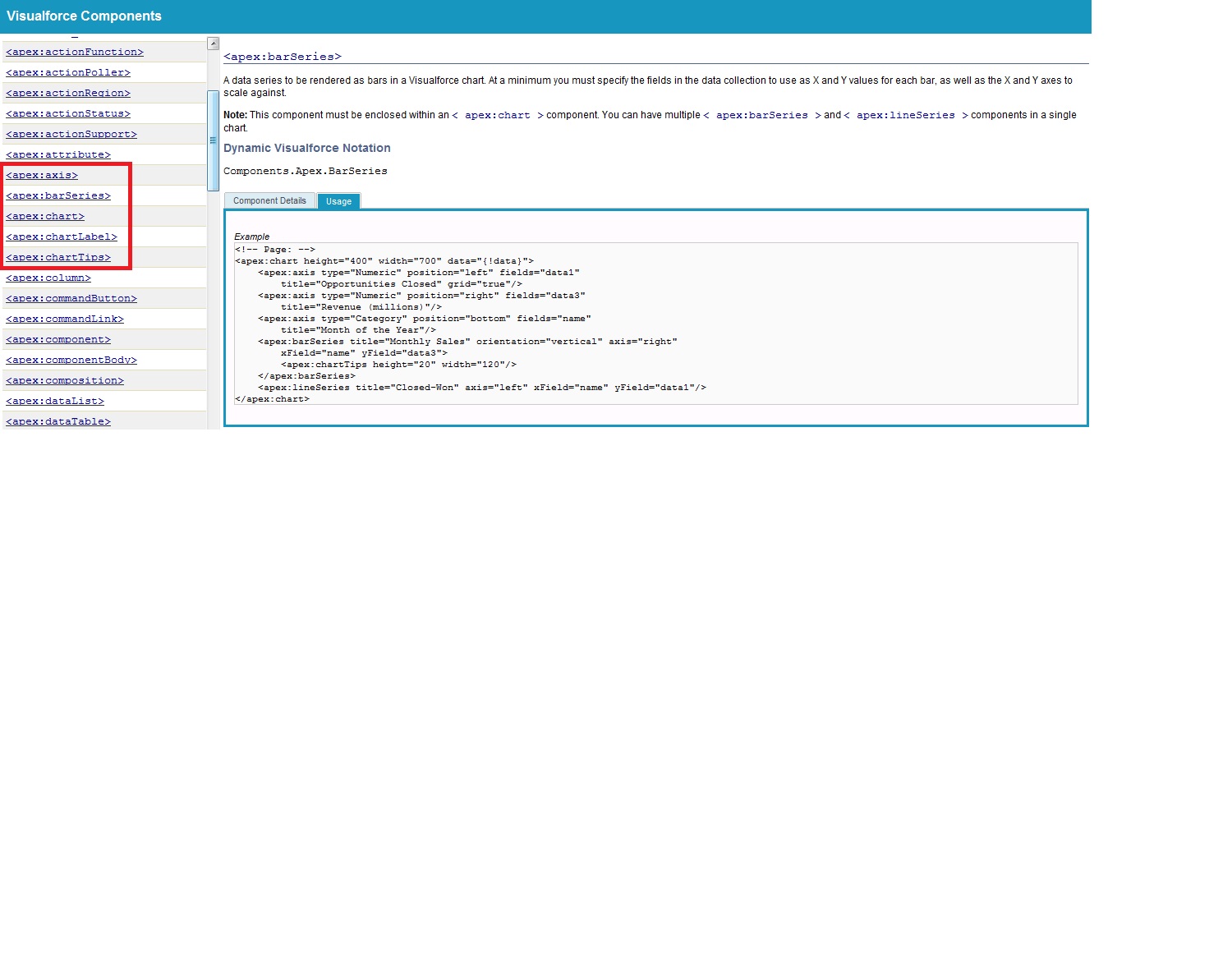
After enabling visualforce charting you are able to see the components in "Component Reference" which are used to create visualforce charts.


Right now if we need to display chart (pie,line,bar etc) we go for google charts, any charts or any third party charts. But with winter 12 release visualforce charting (pilot) is a way for you to create custom charts on your Visualforce pages(pie, bar, and line charts). Visualforce charts are rendered client-side using JavaScript. This allows charts to be animated and visually exciting, and chart data can load and reload asynchronously, which can make the page feel more responsive.


Right now visualforce charting offers variations on bar, line, and pie charts but if you like to use other charts then you can go with Google Charts


Limitations (As it is in pilot there are some limitation too)


  • Visualforce charts will only render in browsers which support scalable vector graphics (SVG).
  • Visualforce charting uses JavaScript to draw the charts. These charts won't display in pages rendered as PDFs.
  • Email clients do not generally support JavaScript execution in messages. Don't use Visualforce charting in email messages or email templates.
  • Visualforce charting sends errors and messages to the JavaScript console. You'll want to keep a JavaScript debugging tool, such as Firebug, active during development.


Creating a chart with Visualforce will require you to do two things:


  1. Write an Apex method that queries for, calculates, and wraps your chart data to send to the browser.
  2. Define your chart using the Visualforce charting components.


When the page containing the chart loads, the chart data is bound to a chart component, and the JavaScript that will draw the chart is generated. When the JavaScript executes, the chart is drawn in the browser. A Visualforce chart requires that you create a chart container component, which encloses at least one data series component.


Here is the simple example of using Pie Chart :


VFP :
<apex:page controller="PieChartController" title="Pie Chart"> 

    <apex:chart height="350" width="450" data="{!pieData}">
        <apex:pieSeries dataField="data" labelField="name"/>
        <apex:legend position="top"/>
    </apex:chart>

</apex:page>
Class :

public class PieChartController
{
    //For Pie Chart
    public List<PieWedgeData> getPieData()
    {
        List<PieWedgeData> data = new List<PieWedgeData>();
        data.add(new PieWedgeData('Jan', 30));
        data.add(new PieWedgeData('Feb', 15));
        data.add(new PieWedgeData('Mar', 10));
        data.add(new PieWedgeData('Apr', 20));
        data.add(new PieWedgeData('May', 20));
        data.add(new PieWedgeData('Jun', 5));
        return data;
    }

    // Wrapper class for Pie Chart
    public class PieWedgeData
    {
        public String name { get; set; }
        public Integer data { get; set; }

        public PieWedgeData(String name, Integer data) {
            this.name = name;
            this.data = data;
        }
    }
}

Resulting page looks like this :


Example of more complex Charts :


VFP :
<apex:page controller="ChartController">
    <apex:chart height="400" width="700" data="{!data}">
        <apex:legend position="right"/>
        <apex:axis type="Numeric" position="left" fields="data1"
            title="Opportunities Closed" grid="true"/>
        <apex:axis type="Numeric" position="right" fields="data3"
            title="Revenue (millions)"/>
        <apex:axis type="Category" position="bottom" fields="name"
            title="Month of the Year">
            <apex:chartLabel rotate="315"/>
        </apex:axis>
        <apex:barSeries title="Monthly Sales" orientation="vertical" axis="right"
            xField="name" yField="data3">
            <apex:chartTips height="20" width="120"/>
        </apex:barSeries>
        <apex:lineSeries title="Closed-Won" axis="left" xField="name" yField="data1"
            fill="true" markerType="cross" markerSize="4" markerFill="#FF0000"/>
        <apex:lineSeries title="Closed-Lost" axis="left" xField="name" yField="data2"
            markerType="circle" markerSize="4" markerFill="#8E35EF"/>
    </apex:chart>
</apex:page>
Class :

public class ChartController {
    // Return a list of data points for a chart
    public List<Data> getData() {
        List<Data> data = new List<Data>();
        data.add(new Data('Jan', 30, 90, 55));
        data.add(new Data('Feb', 44, 15, 65));
        data.add(new Data('Mar', 25, 32, 75));
        data.add(new Data('Apr', 74, 28, 85));
        data.add(new Data('May', 65, 51, 95));
        data.add(new Data('Jun', 33, 45, 99));
        data.add(new Data('Jul', 92, 82, 60));
        data.add(new Data('Aug', 87, 73, 45));
        data.add(new Data('Sep', 34, 65, 55));
        data.add(new Data('Oct', 78, 66, 56));
        data.add(new Data('Nov', 80, 67, 53));
        data.add(new Data('Dec', 17, 70, 70));
        return data;
    }

    // Wrapper class
    public class Data {
        public String name { get; set; }
        public Integer data1 { get; set; }
        public Integer data2 { get; set; }
        public Integer data3 { get; set; }
        public Data(String name, Integer data1, Integer data2, Integer data3) {
            this.name = name;
            this.data1 = data1;
            this.data2 = data2;
            this.data3 = data3;
        }
    }
}

Resulting page looks like this :


As it is in pilot, so will soon come up with more real time examples and scenarios, stay tuned.


More Reference :
Quick Look at Visualforce Charting
Building a Complex Chart with Visualforce Charting
How Visualforce Charting Works

Aug 4, 2011

Inserting sObject Dynamically in Salesforce

I spend most of my time over Community, best place to learn and share knowledge. There are many questions related to sObject, and out of all a very interesting one is "How I can insert sObject record dynamically?"


I will provide a user interface with two text fields which will take "Object Name" and "Record Name" as string from user. And when I click on Save the record with Name entered should be inserted in the provided Object. Is this possible, of-course it is.


Here is the Visualforce Page code :
<apex:page controller="InsertDynamicSobjectController">
    <apex:form >
        <apex:pageBlock >
            <apex:pageBlockButtons >
                <apex:commandButton value="Save" action="{!Save}"/>
            </apex:pageBlockButtons>
            <apex:pageMessages />
            <apex:pageBlockSection >
                <apex:pageBlockSectionItem >
                    <apex:outputLabel value="Enter Object Name"/>
                    <apex:inputText value="{!ObjectName}"/>
                </apex:pageBlockSectionItem>
                <apex:pageBlockSectionItem >
                    <apex:outputLabel value="Enter Name for Record"/>
                    <apex:inputText value="{!RecordName}"/>
                </apex:pageBlockSectionItem>
            </apex:pageBlockSection>
        </apex:pageBlock>
    </apex:form>
</apex:page>

Here is the Apex Code :
public class InsertDynamicSobjectController
{
    public String ObjectName {get; set;}
    
    public String RecordName {get; set;}
    
    public InsertDynamicSobjectController()
    {
        ObjectName = '' ;
        RecordName = '' ;
    }
    
    public PageReference Save()
    {
        //use GlobalDecribe to get a list of all available Objects
        Map gd = Schema.getGlobalDescribe();
        Set objectKeys = gd.keySet();
        if(objectKeys.contains(Objectname.toLowerCase()))
        {
            try
            {
                //Creating a new sObject
                sObject sObj = Schema.getGlobalDescribe().get(ObjectName).newSObject() ;
                sObj.put('name' , RecordName) ;
                insert sObj ;
                
                PageReference pg = new PageReference('/'+sObj.Id) ;
                return pg ;
            }
            Catch(Exception e)
            {
                ApexPages.addMessages(e) ;
                return null ;
            }
        }
        else
        {
            ApexPages.addmessage(new ApexPages.message(ApexPages.severity.ERROR,'Object API name is invalid')) ;
            return null ;
        }
    }
}


Code provided is flexible and you can extend it according to your need.

Jul 7, 2011

Binding Values of Map on Visualforce Page

I was totally messed up with this and thanks to Bob Buzzard for providing me the solution to it.


What exactly the problem is? I was trying to display values of Map on visualforce page. This code snippet will help you to understand more.
<apex:repeat value="{!MyMap}" var="M">
 <apex:repeat value="{!MyMap[M]}" var="temp">
  <apex:outputLabel value="{!temp.Test_Curr__c}"/>
 </apex:repeat>
</apex:repeat>
"MyMap" is in my controller having list of account (Map<String , List<Account>>). I just want to bind the currency field value of account with outPutField like this :
<apex:repeat value="{!MyMap}" var="M">
 <apex:repeat value="{!MyMap[M]}" var="temp">
         <apex:outputField value="{!temp.Test_Curr__c}"/>
 </apex:repeat>
</apex:repeat>
But compiler gifted me this : "Error: Could not resolve the entity from <apex:outputField> value binding '{!temp.Test_Curr__c}'. outputField can only be used with SObject fields."


Now it is mandatory for me to bind the value with outPutField as I want the formatting of currency field on my visualforce page.


Using outPutLabel doesn't provide formatting either :
<apex:repeat value="{!MyMap}" var="M">
 <apex:repeat value="{!MyMap[M]}" var="temp">
  <apex:outputLabel value="{!temp.Test_Curr__c}"/>
 </apex:repeat>
</apex:repeat>
So finally I need the Community help, and trust me it is the best place to get your answers quickly.


Workaround for this is using <apex:column> as it provides the sObject field behaviour. So my final code looks something like this :
<apex:pageBlockTable value="{!MyMap}" var="M">
 <apex:repeat value="{!MyMap[M]}" var="temp">
  <apex:column value="{!temp.Test_Curr__c}" />
 </apex:repeat>
</apex:pageBlockTable>
For reference click here to get community post.


Hope this flaw will be fixed soon as there might be some cases where we do not want to use pageBlockTabel.


Cheers